Choose the alarm rules
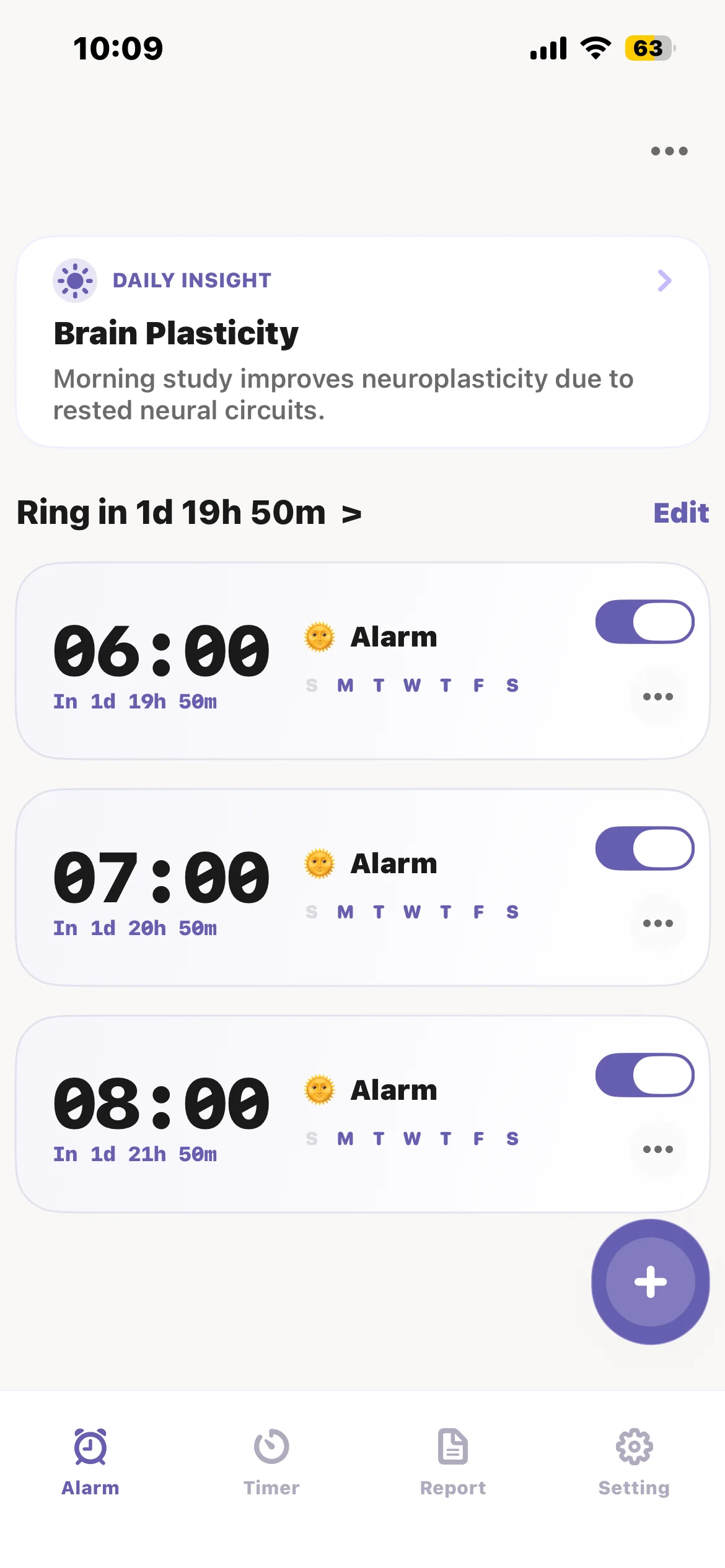
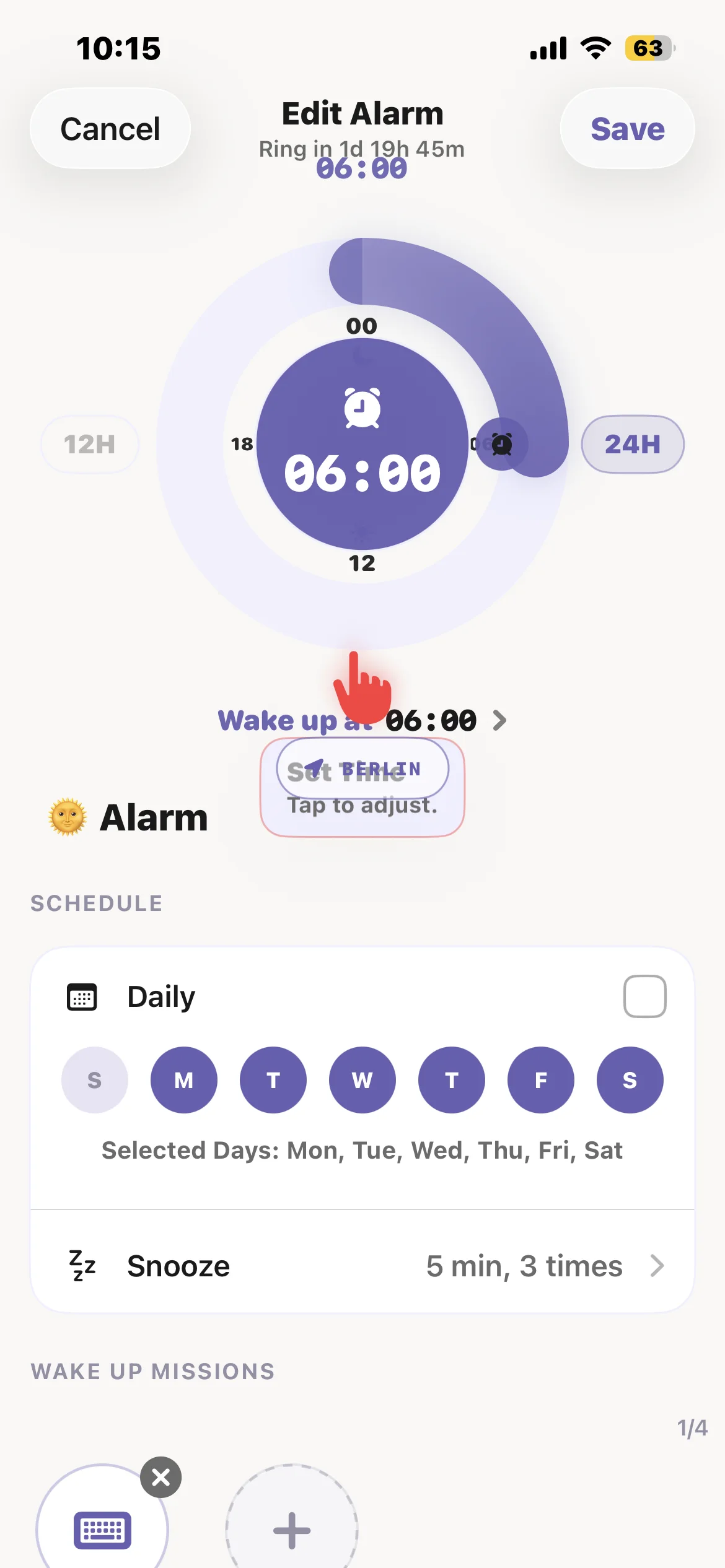
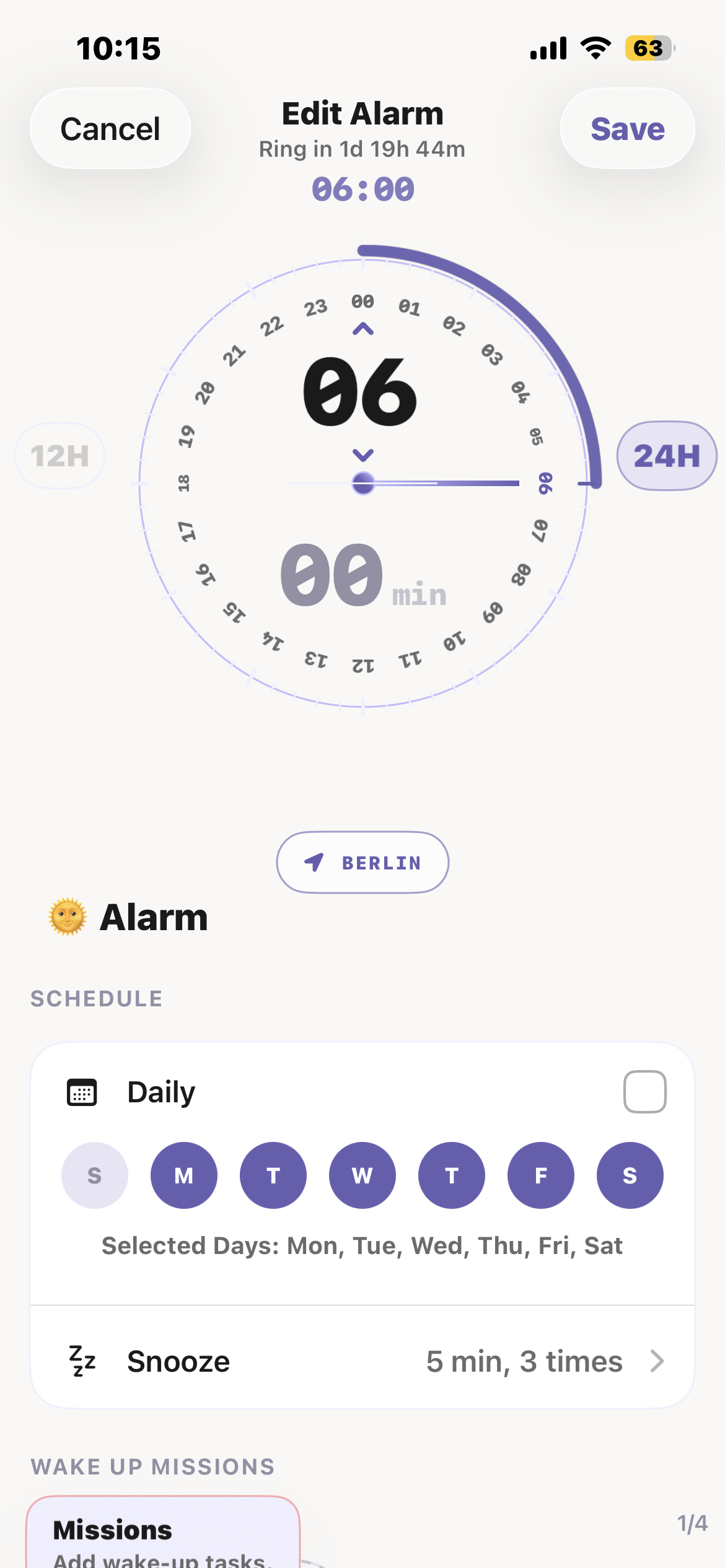
Set the time, repeat days, sound, snooze behavior, wake-up check, and optional alarm lock before you sleep.
iOS only · Coming soon
Become the person who gets up, stays up, and protects the first focused block of the day.
Dawnify combines mission alarms, custom wake-up sounds, Pomodoro and countdown timers, Screen Time checks, and app blocking for people who need more than a basic alarm.

Join free for launch news, or reserve lifetime access as one of Dawnify's first members.
TL;DR
Set mission alarms that require action, block distracting apps with Screen Time permission, run Pomodoro and countdown timers, choose custom sounds, and use wake-up checks that make it harder to fall back asleep. Dawnify is currently in development for iPhone.
How it works
Set the time, repeat days, sound, snooze behavior, wake-up check, and optional alarm lock before you sleep.
When the alarm rings, solve, scan, move, type, speak, or verify a real-world task before the alarm can be dismissed.
Move into Pomodoro, countdown, or stopwatch mode and block selected apps through iOS Screen Time during the session.
Features
Build wake-up alarms with repeat days, snooze controls, emoji labels, gentle wake-up, wake-up checks, wallpapers, and time-zone anchored ringing.
Dismiss alarms with math, memory match, typing, color tiles, tic tac toe, steps, shaking, QR/barcode scans, item hunts, squats, push-ups, affirmations, and verse missions.
Run focused work blocks with Pomodoro presets, custom durations, task selection, focus notes, strict mode, flip start, and anti-burn-in display support.
Use countdown presets, multi-timer support, stopwatch tracking, lap history, and focused timer modes for study, work, workouts, cooking, or timed sessions.
Select distracting apps and lock them during focus or alarm enforcement. App blocking uses iOS Screen Time permission so the phone supports the accountability layer.
Pick alarm tones, focus sounds, downloaded sounds, Spotify-style music options, or record a custom sound up to two minutes and preview it before saving.
Missions
Math, memory match, typing, color tiles, and tic tac toe wake the brain before the alarm turns off.
Steps, shake, squats, push-ups, QR/barcode scans, and household item hunts make dismissal physical.
Affirmation and verse missions can require spoken confirmation, helping the morning start with a deliberate action.
Why it exists
Use high-friction missions so stopping the alarm requires proof.
Use wake-up checks, snooze limits, alarm locks, and app blocking.
Move from waking up to Pomodoro, countdown, and stopwatch sessions.
Founding access
Become a Dawnify Early Adopter before the App Store launch. Your one-time reservation supports the first release and unlocks a founding-member place in the community.
One payment. No subscription. Full refund on request before app access is granted.
Included with early adopter access
Waitlist
Get launch news, beta availability, and product updates. Tell us what would make Dawnify useful for your morning or focus routine.
Custom features
Contact the Dawnify team for custom feature requests, integrations, accessibility needs, Screen Time blocking ideas, custom alarm missions, sound workflows, or specialized Pomodoro and countdown setups.
Contact for custom featuresFAQ
Dawnify is currently coming soon for iOS. Join the waitlist to get launch and beta availability updates.
The first release is focused on iPhone. Android support may be considered later based on demand.
Dawnify is designed around accountability. Missions, app blocking, Screen Time checks, custom sounds, and focus timers are planned together instead of treating the alarm as a standalone clock.
Yes. Early Adopters can reserve lifetime access for a one-time $5 payment. The offer includes priority TestFlight access and a Founding Member badge. You can request a full refund any time before app access is granted.